

It's easy to top up your Mynt account, and you can choose the method that best suits your business. Some people want to use Mynt as a debit card and therefore use bank transfer or direct debit. Others prefer to combine their account with credit. Read more about credit on Mynt here.
In this article, we'll walk you through how to top up your account using bank transfer, direct debit or credit. We also explain how you can use our smart auto top-up feature, which ensures that you never miss a payment.
Navigate to ‘Account’ to get started
Start by logging into your Mynt account on the website and clicking on ‘Account’ in the side menu. When you click on Account, you will immediately see an overview of your company's account. When you visit the page for the first time, the graphs will be empty, but they will be activated as soon as you top up with money and start using the card. To top up with money: click on ‘Top up’.
Select payment method
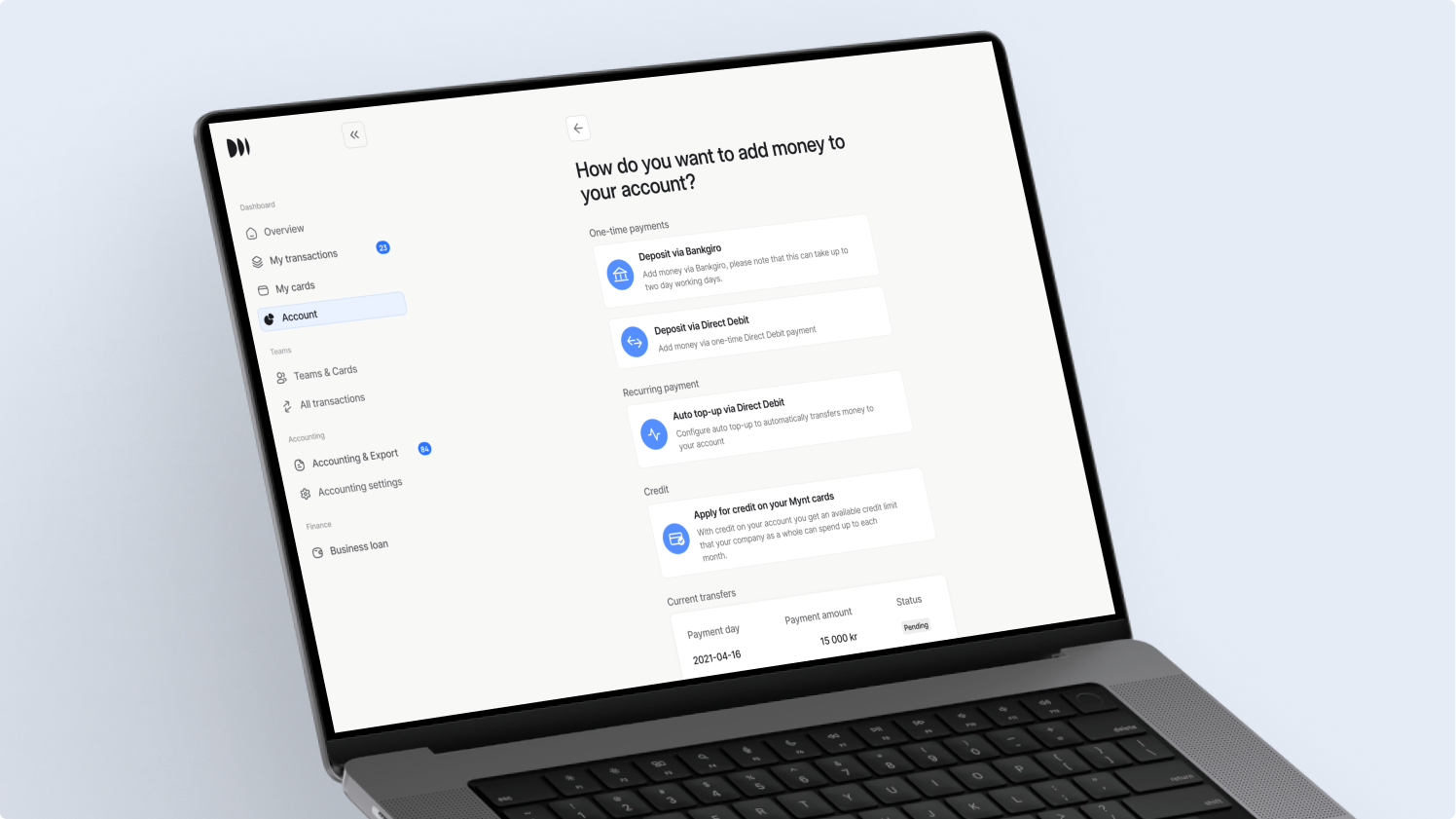
Then choose whether you want to make a payment via bank transfer or a one-off payment via direct debit. It takes 1-3 banking days for the money to appear in your Mynt account.
Would you like to use Mynt's credit? Read more about credit here.
How do I view my account balance in Mynt?
Navigate to ‘Account’ in the menu. Then click on ‘Account balance’ and select the period you want to view.
Never miss a payment – activate auto top-up
Navigate to ‘Settings’ and then ‘Auto top-up’.
1. Start by deciding on the minimum acceptable value for ‘Available to spend’.
2. Enter the amount you want to top up when you reach that value. We recommend setting this amount to your expected weekly expenses.
3. When your balance reaches your set minimum available to spend, your account will automatically be topped up with the amount you specified, via direct debit. See image below.