

Have you just ordered your Mynt card and are wondering what to do to get started? Then you've come to the right place. In this guide, we'll walk you through how to get started quickly and easily.
Before your first purchase
Before you can start paying with Mynt, your company administrator needs to add money to the account. You do this by logging into Mynt and then making a transfer from your bank. Then order cards for the whole team, directly through Mynt.
It's also a good idea to download the mobile app right away. Read more about what you can do in the mobile app here.
Add the card to your digital wallet
Once you have ordered your company card, it is actually ready to use right away! Your physical card has a digital version that can be added to Apple Pay or Google Pay. This means you don't have to wait to make purchases until your physical card arrives in the mail. Smart, right?
How to activate your physical company card
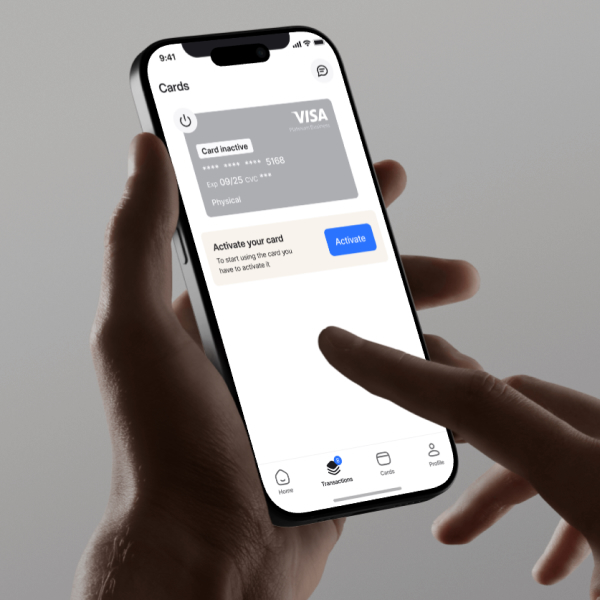
When your physical Mynt card arrives, you need to activate it by inserting the card into the terminal and using your PIN code. After that, you can choose between tapping or inserting/swiping the card and entering your PIN code as usual.
How to submit your first receipt with Mynt
When you make a Mynt purchase, you will receive a push notification on your phone asking you to take a photo of the receipt and enter a category to record the purchase. Once you have done this, press “submit” and you're done! The transaction and receipt are then sent to Mynt's smart approval flow, where your administrator can review the purchase and approve it.
How to use virtual cards
Each Mynt user can order up to 19 virtual cards. Perfect when you want a specific card for a particular project. The cards do not have a PIN code and work perfectly both digitally and in physical stores. To use the cards in stores, you need to add them to your digital wallet.
Where can I find my PIN code?
You can find your PIN code in the app under -> My cards -- > Card settings --> Show PIN.
Can I change my PIN code on Mynt?
Unfortunately not. Currently, you are assigned a PIN code as soon as you become a Mynt customer.