
Consider what type of notification you want to set up. There are three types: one-time notifications for users with unfinished transactions, recurring expense reminders for the entire company, and personal notifications. In this article, we will also go through low balance notifications, a useful feature for those who make recurring payments with Mynt.
One-time reminders
Has it been a busy period for the company? Sometimes employees can be careless about submitting completed transactions. In that case, it is a good idea to set up a one-time reminder manually. To set up expense reminders, go to Settings and select Company reminders.
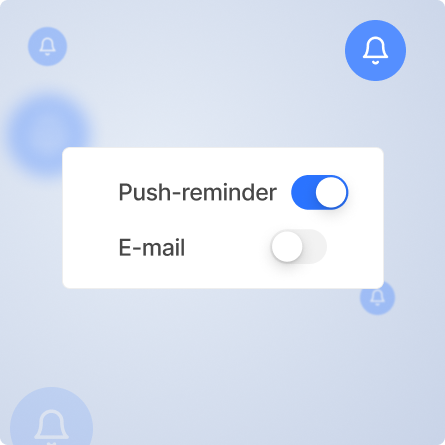
- Choose whether the reminder should be sent by email or as a notification in the app.
Expense reminders
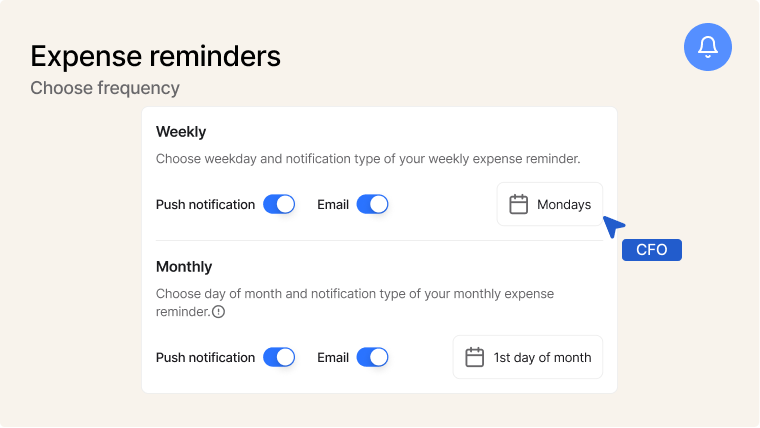
To set up expense alerts, go to Settings and select Company alerts.
Here you can set up expense reminders for the entire company, which means that all card users will receive a weekly or monthly alert.
- Select the frequency of the notifications
- Choose between push notifications or email
Personal notifications
Go to Settings and select Personal notifications. Here you can choose how often you want to receive notifications.
- Turn on notifications on a weekly or monthly basis
- Choose to receive reminders via push notifications or email
Bonus! Low balance alerts
Are you a regular Mynt user and do you make a lot of purchases for your company? Then it is important that you always have a balance in your account. In such cases, as an employee, you can send an alert to your administrator when your balance falls below a specified limit.
How to set up a low balance alert
- Go to Account and select Settings.
- Click on Low balance alert
- Set the desired limit, for example £5,000.
- Then click on Activate low balance alert – done!